
Loog Guitar
Loog Guitars, LLCEducational
4.469.00 Reviews
- Version
- 8.4
- Installs
- 10.00K
- Age Rating
- Everyone
Screenshots
Our Review of Loog Guitar
 Analysis by Appyee
I would treat Loog Guitar as a guided starting point rather than a shortcut to becoming a guitarist. Its lessons and game-like approach can make the first steps feel approachable, especially for a child or an adult who has never held an instrument. The key question is whether you want to learn through the Loog method and its compact three-string guitar, or are looking for a broad, instrument-agnostic course. That distinction matters more than the colorful presentation.
What to expect from the pace
The app’s short, interactive lessons suit practice in small windows: a few minutes before school, during a quiet break, or after dinner. I like that format for beginners because it gives a session a clear beginning and end. It also makes it easier to return tomorrow without needing to plan a long practice block. A quick lesson is not the same as mastering a song, though; finger placement and clean changes still take patient repetition away from the screen.
For someone starting from scratch, the three-string setup can make the first encounters with chords feel less intimidating than a conventional six-string guitar. That simplicity is a genuine trade-off: it lowers the initial hurdle, while players who want to move quickly into standard guitar shapes and techniques may eventually need a course designed around a full-size instrument. I’d use the app to build a regular playing habit, not assume it covers every route a learner might take later.
When practice gets busy
A realistic use case is a parent setting aside a short after-school session with a child: open a lesson, follow the visual guidance, then finish with a small challenge or a familiar tune. The game elements can help turn “practice now” into a more inviting routine. For an adult, the same structure works as a low-pressure way to pick up the instrument after work, without having to decide from scratch what to study each time.
There is a useful practice habit hidden in that convenience: repeat one small section until your hands can do it comfortably, then move on, rather than rushing through lessons just to collect progress. If the app lets you slow a song down, use that for a tricky transition and bring the tempo back up only after the movement feels controlled. That is more productive than repeatedly playing the whole track at a speed that makes you stumble.
Choosing it over other ways to learn
Compared with general guitar-learning apps, Loog Guitar has a more specific identity: it is built around Loog’s instrument and a child-friendly, game-like entry into playing. A video course or a conventional tutor may be a better fit if you want detailed feedback on your posture, a custom learning plan, or a direct path through standard six-string guitar repertoire. Free videos can offer plenty of variety, but they usually leave you to decide what to learn next and whether your technique is sound.
I see the strongest case for this app in a household that already has a Loog guitar, or in a beginner who values clear visual prompts and a playful structure. If you only want to learn on a standard guitar, check that the lessons match your instrument and goals before building your routine around them. The app being free to download is helpful, but some in-app purchases are offered, so it is sensible to explore what you can use before spending money.
Practical fit before you begin
Loog Guitar is an educational game from Loog Guitars, LLC. It is free to download, rated for Everyone, and has an average rating of 4.5 from 694 ratings, with 10K+ installs. It was released on December 23, 2022, and version 8.3 requires iOS 10 or later. In-app purchases range from $9.99 to $59.99 per item. Those details make it accessible to consider, but they do not mean every lesson or song is necessarily included at no cost.
If you are choosing a device for a child, I would set it up in advance and keep the instrument within easy reach; the less time spent switching between screens and searching for the guitar, the more likely a short session is to happen. If a lesson feels confusing, pause and try the movement slowly on the strings before replaying the instruction. The app can guide attention, but a screen cannot replace listening for a clean note or noticing when your fingers are uncomfortable.
Speed, stability, and everyday reliability
I would not judge a learning app by how quickly it opens alone. The useful measure is whether it gets a beginner from “what do I do?” to a focused practice task without adding friction. Loog’s visual lessons and challenges are intended to make that first step straightforward, while the mix of video and interactive elements means the experience may feel less immediate than a simple text-based chord chart. When you are short on time, prepare the instrument first and choose a single lesson rather than browsing around.
For longer sessions, separate app guidance from hands-on repetition: watch or follow the demonstration, put the screen aside briefly, and play the same movement by feel. This keeps the device from becoming the activity itself. A learner who wants a teacher to hear every attempt or correct technique in real time may find that a dedicated lesson works better; this app is most useful when you are comfortable practicing independently between prompts.
My performance verdict is that Loog Guitar makes sense as a structured, friendly on-ramp, especially for families and first-time players who want a clear next step. I would not choose it as my only resource for advanced study or assume that its approach will suit every guitar. Its best quality is reducing the intimidation of beginning; its main limitation is that the learner’s goals and instrument need to match the method.
Have you ever wanted to learn how to play the guitar but felt overwhelmed by all those strings and chords? Well, I’ve got a little secret for you: the Loog Guitar app. It’s like having your own personal music teacher right in your pocket! Let me take you through my experience with this fun and engaging app.
A New Approach to Learning
So, what's the deal with the Loog Guitar app? It's designed to make learning the guitar simple and enjoyable, especially for beginners. The app is paired with the Loog Guitar, a nifty little instrument with just three strings. But don’t worry, even if you don’t have the Loog Guitar, the app still works wonders.
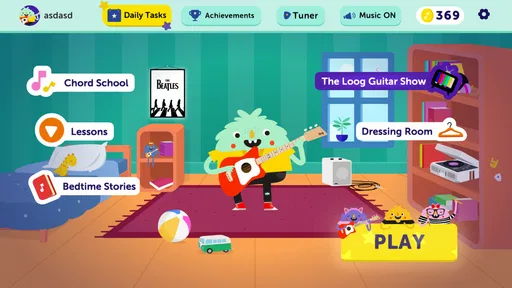
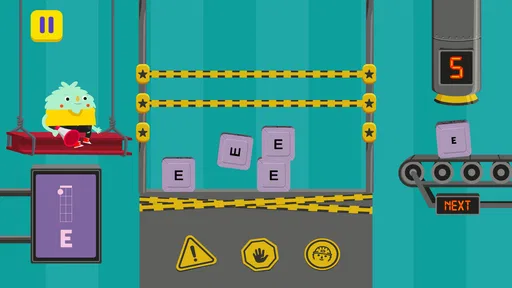
When I first opened the app, I was greeted with a colorful and inviting interface. It feels more like a game than a traditional learning tool. Right from the get-go, it eases you into playing with interactive lessons that are perfect for kids and adults alike.
Interactive Lessons and Fun Challenges
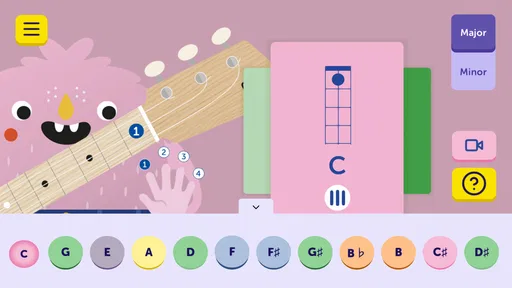
The lessons are bite-sized and interactive, which kept me engaged without feeling overwhelmed. Each lesson builds on the last, so you’re gradually building your skills. The app uses a combination of video lessons, chord diagrams, and even augmented reality to show you exactly where to place your fingers. Pretty cool, right?
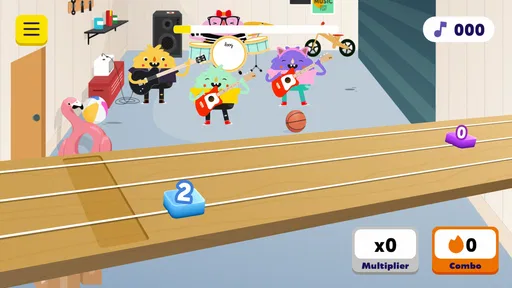
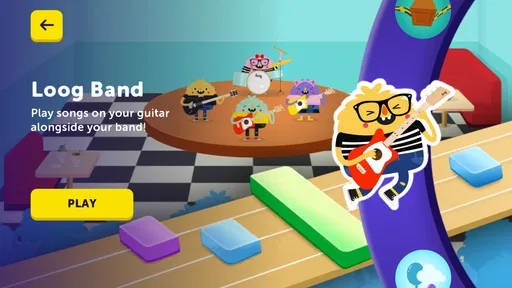
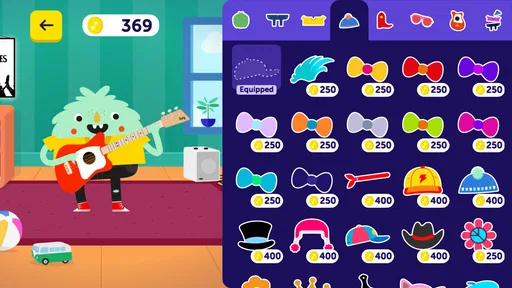
One of my favorite features is the gaming element. The app includes challenges and rewards for completing certain milestones. It’s like Guitar Hero, but you’re actually learning to play a real instrument. The sense of accomplishment you get from leveling up is incredibly motivating.
Rich Song Library
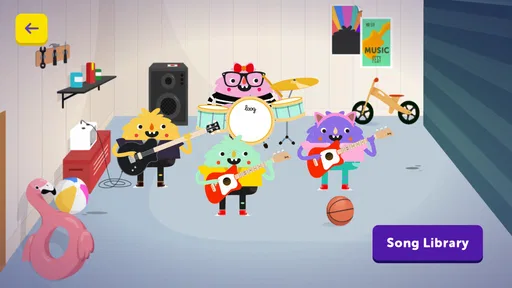
If you're like me and love jamming out to your favorite tunes, you'll appreciate the rich song library the app offers. From classic rock to modern pop, you can learn to play a wide variety of songs. It even lets you slow down the tempo, so you can practice at your own pace. The app makes it easy to follow along with its clear and intuitive layout.
I was excited to see songs from artists like The Beatles and Taylor Swift, making practice sessions feel more like a private concert. And let’s be real, nothing beats the feeling of nailing your favorite song.
Community and Support
Learning an instrument can sometimes feel like a lonely journey, but the Loog community is vibrant and supportive. The app has a built-in social feature where you can share your progress, join challenges, and even connect with other learners. It's reassuring to know you’re not alone, and the feedback from fellow learners can be incredibly encouraging.
The customer support is also top-notch. If you ever run into any issues, the team is quick to respond and genuinely helpful. It's clear they care about your learning experience.
Perfect for All Ages
One of the things that really impressed me about the Loog Guitar app is its versatility. Whether you’re a curious kid or an adult looking to pick up a new hobby, the app is tailored to suit all ages. The lessons are straightforward enough for children, yet detailed enough to keep adults engaged.
It’s a wonderful way to bond with your family as well. You can even have little jam sessions together, making it a perfect family activity.
The Final Chord
In conclusion, the Loog Guitar app is a delightful tool for anyone looking to learn the guitar in a fun and engaging way. Its combination of interactive lessons, a vast song library, and a supportive community make it stand out in the world of music apps.
Whether you’re a total newbie or someone who’s strummed a few chords before, this app can take your skills to the next level. So why not give it a try? You might just find yourself strumming along to your favorite songs sooner than you think. Happy playing!
Verdict
Strengths of Loog Guitar
- User-friendly interface for beginners.
- Interactive lessons enhance learning.
- Compact design, easy to handle.
- Chords and songs library is extensive.
- Supports multi-platform integration.
Limitations of Loog Guitar
- Limited advanced features for experts.
- In-app purchases can be pricey.
- Requires internet for some features.
- Occasional app stability issues.
- Limited customization options.
Similar Picks in This Category
View All
Little Panda Policeman
BabyBus4.0

Monster Trucks Game for Kids 2
Raz Games4.1

Little Panda's Chinese Recipes
BabyBus4.4

Little Panda's Restaurant
BabyBus4.4

Little Panda's Ice Cream Games
BabyBus4.3

Baby Panda Care
BabyBus3.8
Frequently Asked Questions
What is the Loog Guitar app used for?
The Loog Guitar app is designed to complement Loog Guitars by providing users with interactive lessons, chord diagrams, and a tuner. It's ideal for beginners looking to learn guitar basics, offering a fun and engaging way to develop musical skills. The app supports both kids and adults in their musical journey.
Is the Loog Guitar app suitable for absolute beginners?
Yes, the Loog Guitar app is perfect for absolute beginners. It offers step-by-step video lessons and easy-to-follow chord diagrams tailored to those with no prior musical experience. The app's user-friendly design ensures that even young learners can navigate and benefit from its educational content.
Can the Loog Guitar app be used with any guitar?
While the Loog Guitar app is optimized for use with Loog Guitars, it can be used with any guitar. The app's lessons and tuner are compatible with standard guitars, making it versatile for various instruments. However, specific features may be more aligned with Loog's unique design.
Does the Loog Guitar app require any in-app purchases?
The Loog Guitar app is free to download and offers a range of features at no cost. However, certain advanced lessons or premium content might require in-app purchases. These optional purchases can enhance the learning experience but are not necessary to enjoy the app's core features.
Is an internet connection necessary to use the Loog Guitar app?
An internet connection is required to access certain features within the Loog Guitar app, such as downloading new lessons or updates. However, once content is downloaded, many features, including the tuner and pre-downloaded lessons, can be accessed offline, making it convenient for on-the-go learning.
Play our best games!


